How to Apply for House Building Advance in HRMS
In many organizations and government departments, employees are provided with financial assistance for personal needs such as housing. One of the most common benefits is the House Building Advance (HBA), which allows employees to fund the construction, purchase, or renovation of a house. With the advancement of technology, applying for HBA has become simple and streamlined through Human Resource Management Systems (HRMS).
Using HRMS to apply for a house building advance makes the process faster, transparent, and paperless. Employees can submit applications, track approvals, and manage repayment schedules online, eliminating the need for manual submissions or repeated visits to the HR office.
What is House Building Advance?
A House Building Advance (HBA) is a financial loan provided by an organization to its employees to support housing-related expenses. This advance is typically granted as a long-term loan with easy repayment through salary deductions.
Employees can use HBA for purposes such as:
- Constructing a new house
- Purchasing an existing property
- Renovating or extending an existing home
- Paying legal or registration charges related to housing
The loan amount, eligibility, and repayment terms are generally defined in the organization’s financial and HR policies.
Importance of Applying Through HRMS
Applying for HBA through HRMS offers several advantages:
- Convenience: Employees can apply from anywhere, without physical paperwork.
- Transparency: The application status can be tracked in real-time.
- Accuracy: HRMS ensures proper documentation and reduces errors.
- Integration: Approved advances are linked to payroll for automatic deductions.
Steps to Apply for House Building Advance in HRMS
The process of applying for HBA in HRMS is straightforward and involves the following steps:
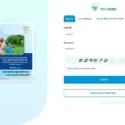
- Log in to the HRMS Portal
Open the official HRMS website of your organization. Enter your employee ID or username and password to log in. Some systems may also require OTP verification sent to your registered mobile number for additional security.
- Navigate to the Loan/Advance Section
After logging in, go to the Loans, Advances, or Financial Services section. Look for the option labeled House Building Advance (HBA) or Housing Loan. Click on it to open the application form.
- Check Eligibility and Loan Amount
Before applying, verify your eligibility for HBA. HRMS typically displays:
- Maximum allowable loan amount based on pay scale
- Required years of service for eligibility
- Other conditions such as previous HBA taken
Checking eligibility ensures that your application meets the organization’s criteria.
- Fill in the Application Form
Enter the required details in the online form. Key information may include:
- Purpose of the advance (construction, purchase, or renovation)
- Property location and cost
- Amount requested
- Tenure for repayment
- Any co-applicant or guarantor details
- Upload Supporting Documents
Most HRMS systems require uploading relevant documents to validate the application. These may include:
- Property purchase or construction agreement
- Cost estimates or quotations
- Legal documents or ownership papers
- Identity proof and salary details
Proper documentation helps the HR and finance departments process the application quickly.
- Submit the Application
After completing the form and uploading documents, review the application carefully. Click Submit to forward it for approval. The system will generate a reference number for tracking purposes.
- Track Application Status
Once submitted, the HBA application is reviewed by HR and finance. You can track the status in the Loan/Advance Status section. Status updates may include Pending, Approved, Rejected, or Processed. Notifications are often sent via email or SMS when any action is taken.
Tips for Employees
- Apply well in advance to accommodate approval timelines.
- Ensure all property and financial documents are clear and valid.
- Maintain communication with HR or finance for any clarifications.
- Keep a record of your reference number for tracking.
- Understand repayment terms before applying.
Benefits of Applying HBA Through HRMS
- Paperless and time-saving process
- Transparent application and approval workflow
- Automatic integration with payroll for repayment
- Quick access to loan history and status
- Reduced manual errors and delays
Conclusion
Applying for a House Building Advance through HRMS is a convenient and efficient way to meet housing-related financial needs. By logging into the portal, filling out the application form, uploading required documents, and submitting it for approval, employees can ensure a smooth and transparent process. The HRMS system not only facilitates quick approvals but also integrates repayments with salary, providing a seamless experience and financial convenience for employees.

Jessica
Jessica is a Founder and Editor of InvestmentCage, A Business & Finance Magazine. She is a MBA graduate in Business Studies, loves to write articles on Business, Insurance and Investment topics.